How it works
1
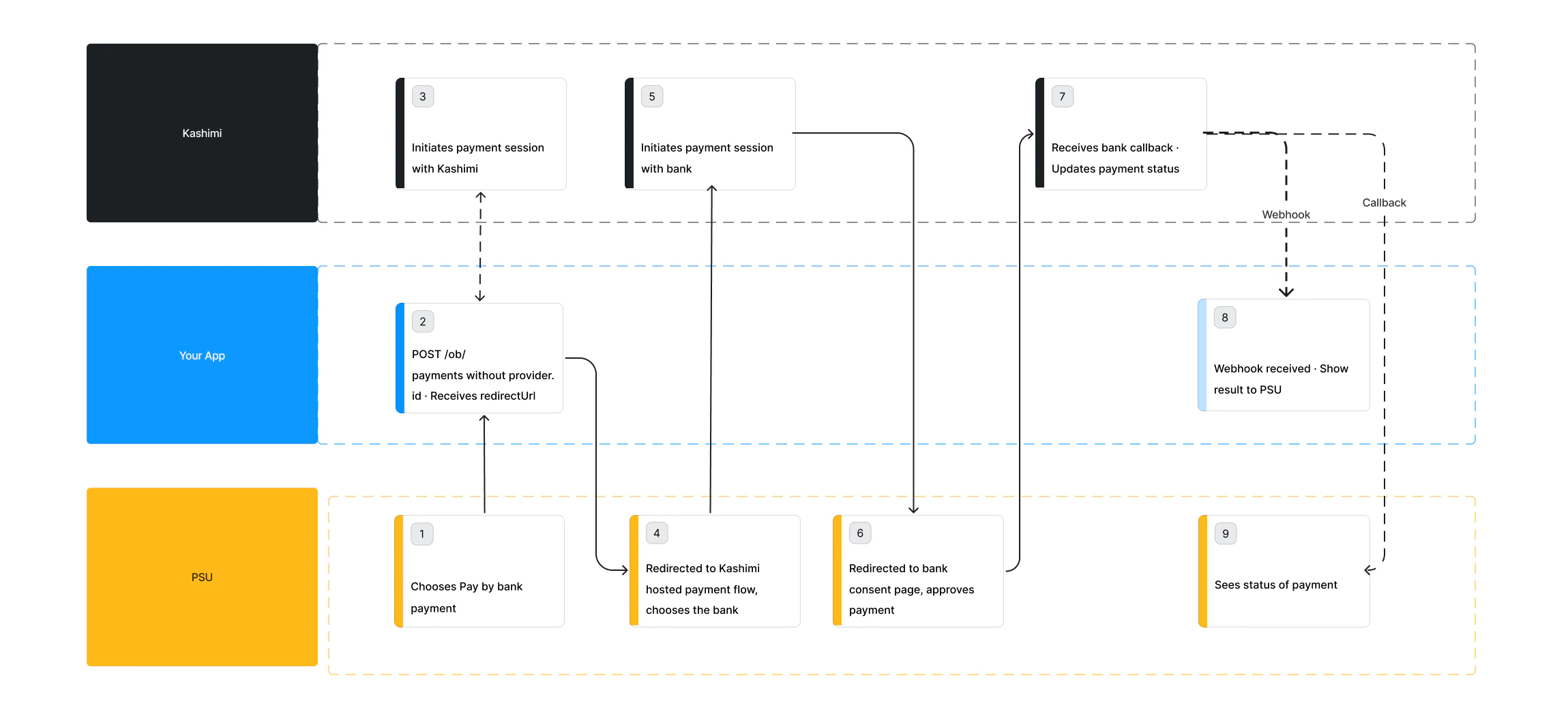
Initiate the payment without a provider.Id
Call POST /ob/payments with the payment details but without a
provider.Id. Kashimi returns a redirectUrl pointing to the hosted bank selection screen.Use provider.preferences.countryCodes.list to control which countries are shown on Kashimi’s hosted bank selection screen. Only banks from the specified countries will be displayed to the PSU. If omitted, all available banks are shown. Use provider.preferences.countryCodes.default to set which country is selected by default when the PSU lands on the screen.2
Redirect the PSU to Kashimi's hosted screen
Send the PSU to the
redirectUrl. They will land on Kashimi’s hosted bank selection UI — no bank list fetching or UI rendering required on your side.3
PSU selects their bank
The PSU browses and selects their bank on Kashimi’s hosted screen. Kashimi then redirects the PSU to the selected bank’s authentication page.
4
PSU authenticates at the bank
The PSU authenticates and approves the payment on their bank’s website. This happens entirely on the bank’s side.
5
Bank redirects back to your callbackUrl
After approval or rejection, the bank redirects the PSU back to Kashimi and back to your
callbackUrl. Do not assume success at this point — always verify the actual status.6
Confirm the final status
Poll GET /payment-statuses/latest or receive a webhook. Show a success screen only once
status is COMPLETED.Full payment flow
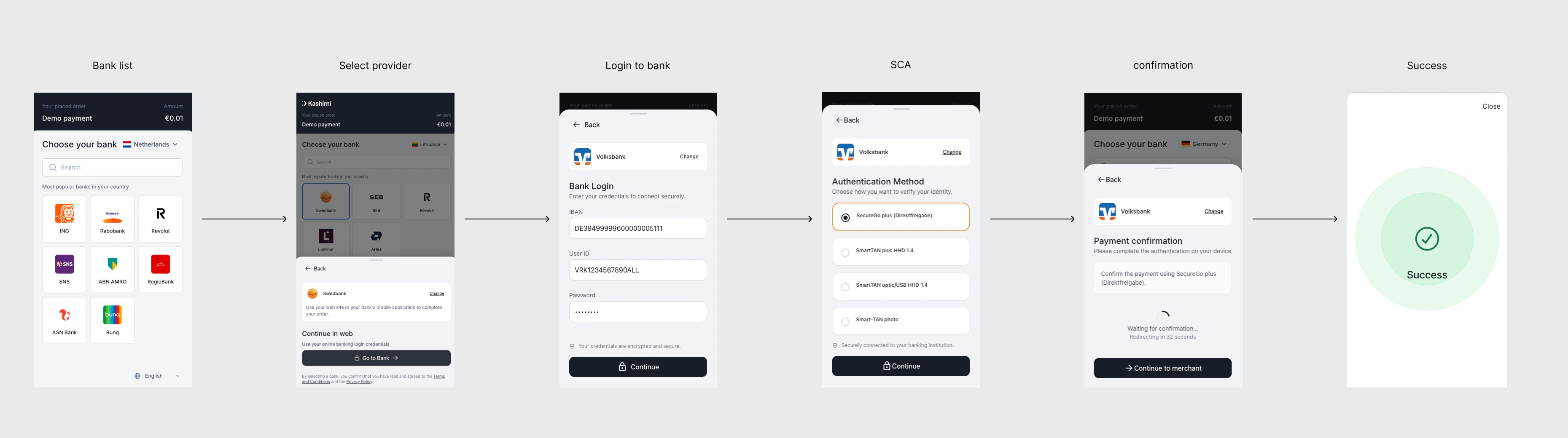
The complete experience varies by bank. Most banks use a redirect flow; some use an embedded flow where credentials are collected in your UI.- Redirect
- Decoupled / Embedded
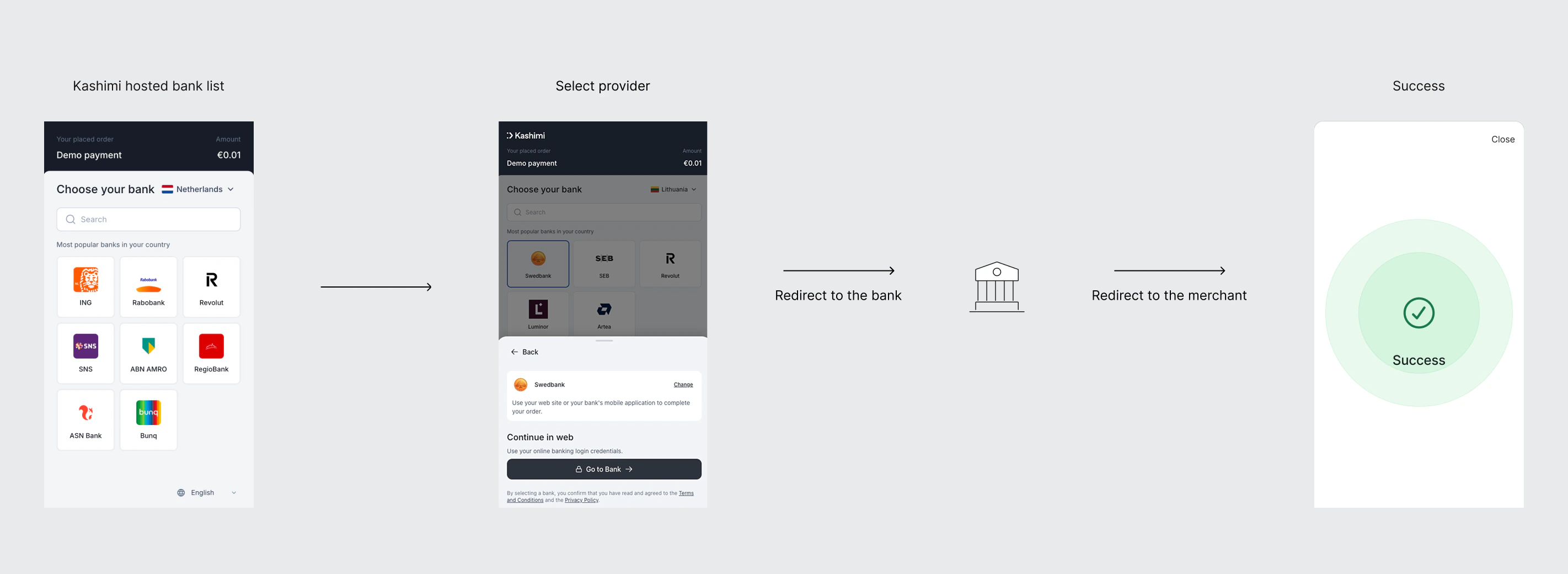
redirectUri. You confirm the final status via webhook or status poll.