Screens
Bank list
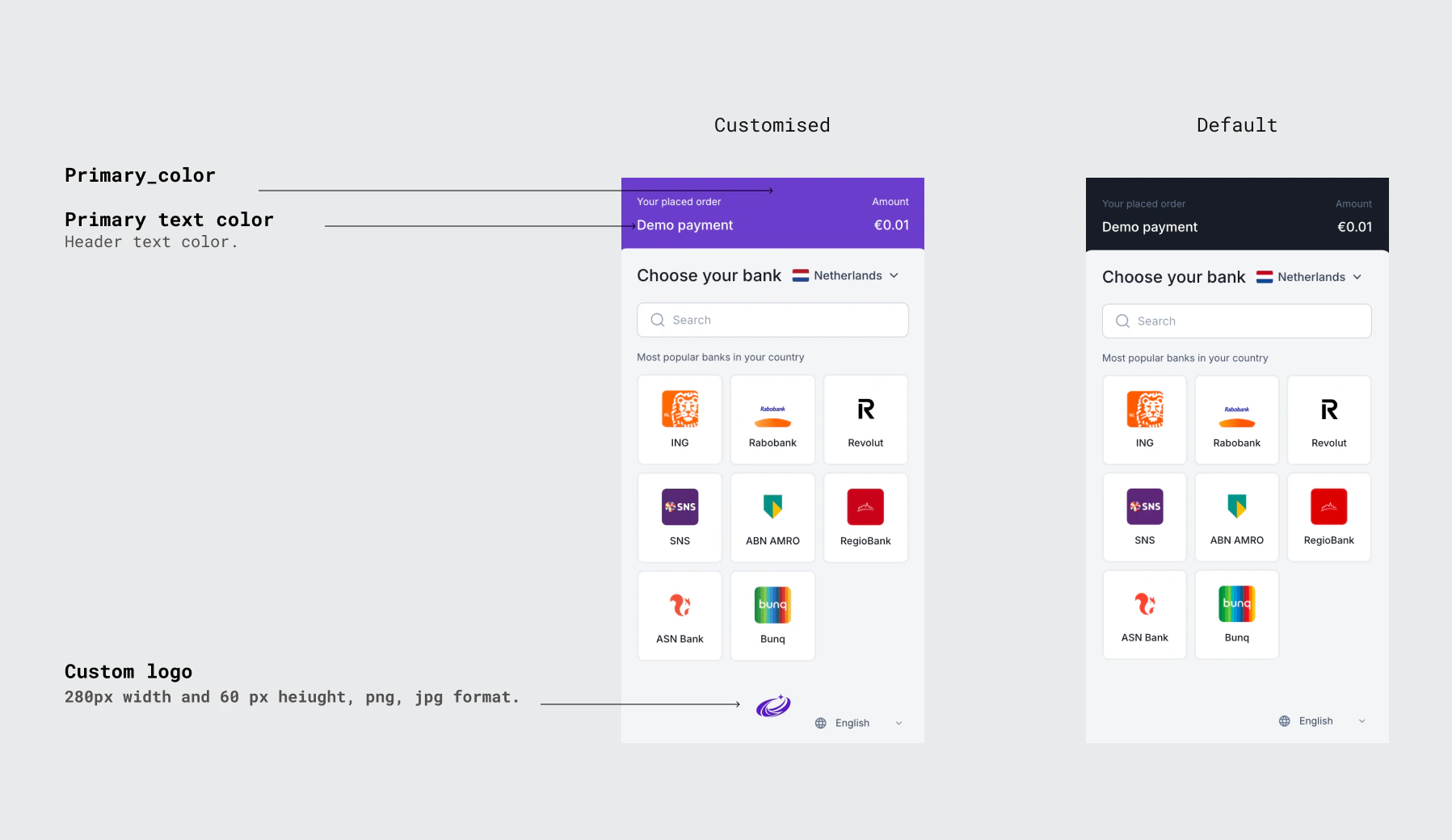
The PSU lands here after being redirected to theredirectUrl returned by POST /ob/payments. They see a list of available banks filtered by the countryCodes you passed in the request. A country selector and search field are shown to help the PSU find their bank quickly.
Provider confirmation
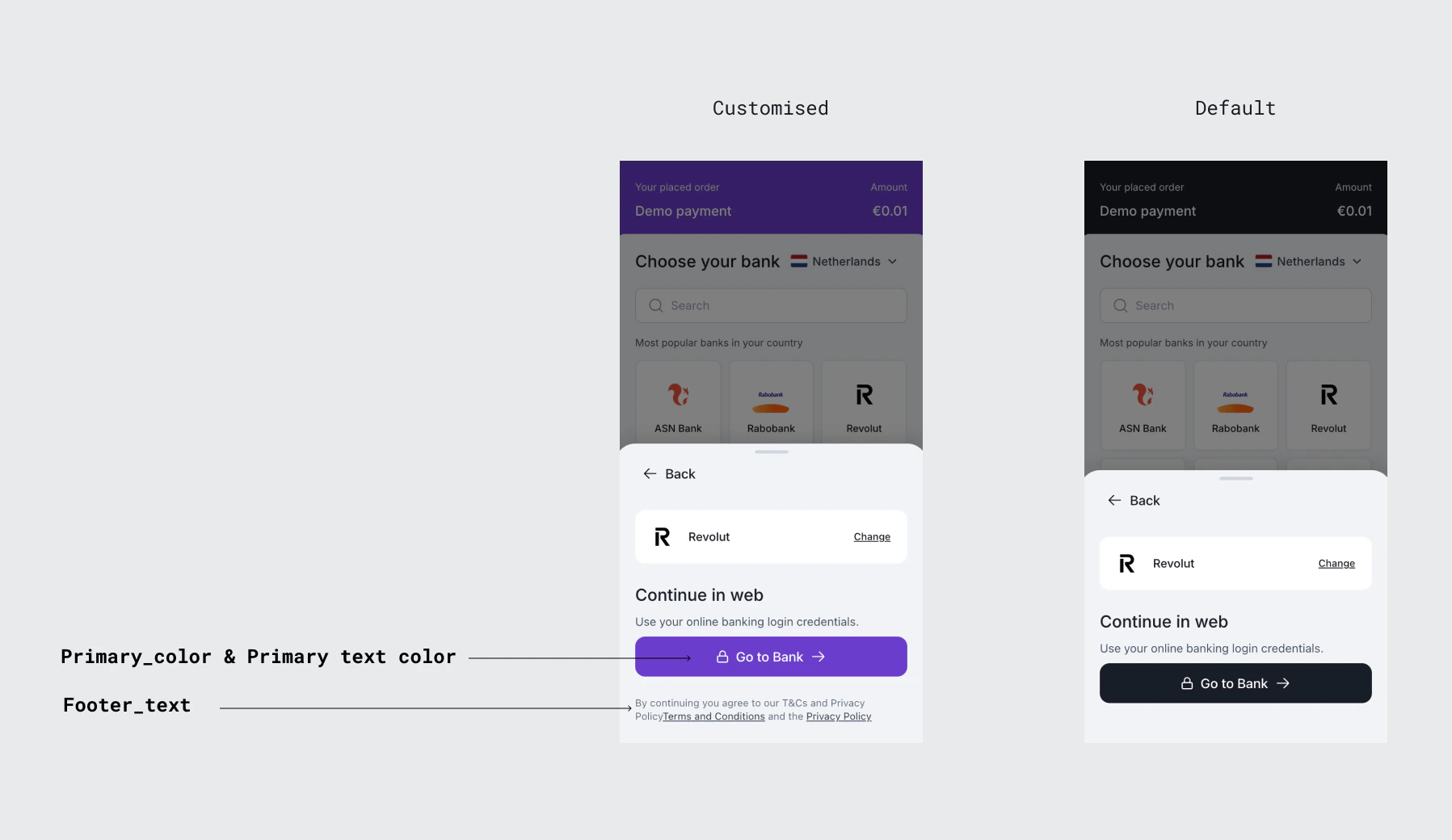
After the PSU selects a bank, this screen confirms their choice and shows the payment details. The PSU can review the amount and recipient before proceeding. A Go to Bank button redirects them to the bank’s authentication page.This screen appears for the redirect flow only. Banks that use the embedded flow proceed directly to credential collection without this screen.
Customisation
The hosted screens can be customised to match your brand. Customisation is configured per client and applied by the Kashimi team. Contact [email protected] to set up or update your configuration.| Field | Description |
|---|---|
primary_color | Hex colour code applied to buttons and interactive elements across all hosted screens (e.g. #000000) |
logo_url | URL of your company logo displayed at the top of each hosted screen |
favicon_url | URL of the favicon shown in the browser tab during the hosted flow |
terms_url | URL to your Terms and Conditions page — linked in the hosted UI footer |
privacy_policy_url | URL to your Privacy Policy page — linked in the hosted UI footer |
footer_text | Custom text displayed in the footer of the hosted screens. Supports multiple paragraphs. |
psu_portal_base_url | Base URL for the PSU portal. If null, the default Kashimi-hosted portal is used. |